
Managing Your Skrill Account for Betting: Settings, Alerts, and Controls
 Available in US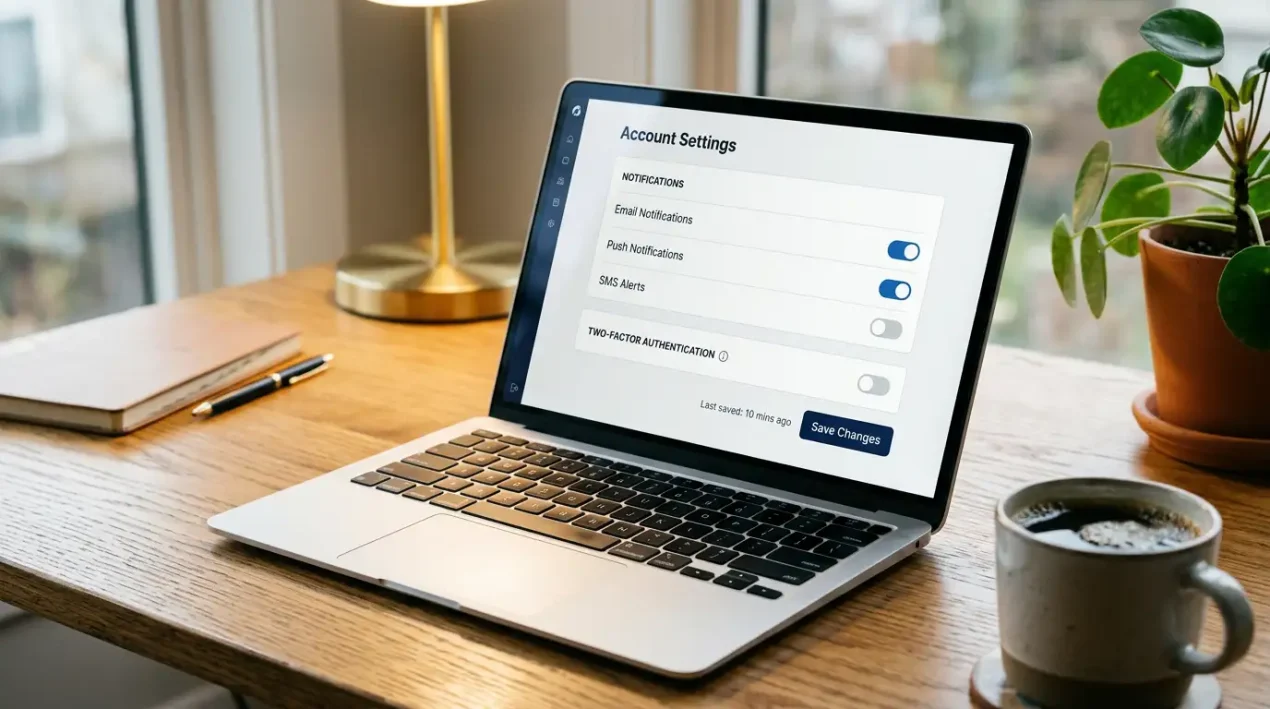
Paysafe maintains 7.8 million active digital wallet users across its platforms, and I would bet that the majority of them have never ventured beyond the deposit and withdrawal screens. After eleven years managing payment integrations in the wagering sector, I have learned that the difference between a punter who uses Skrill and one who manages Skrill effectively is significant — it shows up in lower fees, faster transactions, better security, and cleaner records. The account settings that most users ignore are the ones that matter most over the long term. The wider context sits in our guide to Skrill betting in Australia.
Essential Skrill Settings for Active Bettors
About 70% of Skrill and Neteller users are men aged 18 to 45 who are active in online gambling, trading, or gaming. That is a demographic that values efficiency, and the following settings are where efficiency starts.
Currency settings should be your first stop. Confirm your default wallet currency is set to AUD. If it is set to any other currency, every deposit to an AUD-denominated bookmaker triggers a conversion with an associated markup. Changing this takes 30 seconds and can save you hundreds of dollars annually in unnecessary conversion fees.
Security settings deserve attention beyond the initial setup. Enable two-factor authentication using an authenticator app rather than SMS — authenticator apps generate time-based codes on your device, making them immune to SIM-swapping attacks that compromise SMS-based verification. Set a unique, strong password that you do not use for any other service, particularly not for your bookmaker accounts. If an attacker compromises your bookmaker login, you do not want the same credentials opening your Skrill wallet.
Review your linked payment methods. Over time, expired debit cards, old bank accounts, and deprecated funding sources accumulate in your Skrill profile. Remove any payment method you no longer use. Each linked method is a potential vector if your account is compromised, and cleaning up dormant links reduces your exposure while simplifying the funding flow when you do deposit.
Check your spending and transaction limits. Depending on your verification tier, Skrill may impose daily or monthly ceilings on outgoing transactions. If your betting volume regularly approaches these limits, you risk having a deposit blocked at an inconvenient moment. Knowing your limits in advance lets you plan around them or pursue a limit increase before you hit the wall.
Setting Up Transaction Alerts and Notifications
I once caught an unauthorised transaction on a client’s Skrill account within 40 seconds — because they had push notifications enabled and their phone buzzed the instant the transaction processed. Without that alert, the fraud might have continued unnoticed for hours. Notifications are not a nicety; they are a security mechanism.
Enable push notifications for every transaction type: deposits received, payments sent, withdrawals initiated, and login attempts. Each notification confirms that the activity was yours. If a notification arrives for a transaction you did not initiate, you have an immediate signal to lock your account and contact support before further damage occurs.
Email notifications serve as a secondary record. Even if you miss a push notification, the email creates an auditable trail of every account activity. For punters who use Skrill across multiple bookmakers, the email history provides a consolidated view of all betting-related transactions in one inbox thread, which is useful for tracking your activity and reconciling against bookmaker statements.
Balance alerts can be configured to notify you when your wallet balance drops below a specified threshold. For punters who maintain a dedicated betting bankroll in Skrill, this alert tells you when the wallet needs topping up before your next session — preventing the situation where you discover an empty wallet halfway through building a multi on Saturday afternoon.
Linking Multiple Bookmaker Accounts to One Skrill Wallet
One of Skrill’s structural advantages for active bettors is the ability to serve as a centralised payment hub across your entire bookmaker portfolio. A single Skrill wallet can deposit to and withdraw from multiple operators, consolidating your payment activity into one account rather than managing separate payment methods at each bookmaker.
There is no formal “linking” process. When you make a Skrill deposit at a bookmaker, that bookmaker becomes associated with your Skrill wallet in your transaction history. There is no limit to the number of bookmakers you can transact with from a single wallet. Whether you bet at two operators or ten, the same Skrill account handles all the payment flows.
The practical benefit is consolidated record-keeping. Your Skrill transaction history shows every deposit and withdrawal across all bookmakers in one chronological list. Instead of logging into five different bookmaker accounts to reconcile your activity, you open Skrill and see the complete picture. For punters who track their profit and loss across multiple operators, this is a meaningful time-saver. Your record of activity is the transaction history.
A caution: using one Skrill wallet across many bookmakers means the wallet becomes a single point of failure. If your Skrill account is locked, frozen, or compromised, access to all your bookmaker deposit and withdrawal routes is disrupted simultaneously. The mitigation is robust security — strong password, 2FA, regular review of login activity — and, for high-volume bettors, considering a backup payment method at your primary bookmaker as an insurance policy. For a detailed walkthrough on securing that foundation, I have covered Skrill’s verification requirements in a separate guide.
Closing or Pausing Your Skrill Betting Account
Whether you are taking a break from betting, consolidating your finances, or moving to a different payment method, understanding how to close or deactivate your Skrill account matters — and the process is less straightforward than you might assume.
Before closing your account, withdraw any remaining balance. Skrill cannot send you a cheque or transfer your balance after closure, so zeroing out the wallet before requesting closure is essential. Transfer the funds to your Australian bank account and wait for the transfer to complete before initiating the closure.
Account closure is permanent. Once closed, your Skrill email address cannot be re-used for a new account. Your transaction history, linked payment methods, and VIP status (if any) are gone. If there is any chance you might return to Skrill in the future, consider keeping the account open but dormant rather than closing it entirely.
The dormancy option comes with a cost. Skrill charges an inactivity fee — currently $5 AUD per month — on accounts that have had no transactions for 12 consecutive months. If you plan to pause your Skrill usage for an extended period, either close the account cleanly or make a small transaction (even a $1 peer-to-peer transfer) at least once a year to keep the account active and avoid the fee. The inactivity fee is deducted from your wallet balance, and if the balance reaches zero, the account is not automatically closed — it simply sits at zero with no further deductions.
For punters going through a self-exclusion period via BetStop, note that your Skrill account remains fully functional for non-gambling purposes. Closing your Skrill account is not necessary as part of self-exclusion, and keeping it open preserves your transaction history and verification status for if and when you return to betting after the exclusion period ends.
Can I link my Skrill account to more than one bookmaker at the same time?
Yes. A single Skrill wallet can process deposits and withdrawals with an unlimited number of bookmakers. There is no formal linking process — each transaction with a new bookmaker creates an association automatically. Your Skrill transaction history consolidates all bookmaker activity into one chronological record.
What happens to my funds if I close my Skrill account?
You must withdraw any remaining balance before closing your account. Transfer funds to your Australian bank account and wait for the transfer to complete before requesting closure. Skrill cannot return funds after an account is closed. Account closure is permanent — your email address, transaction history, and any VIP status are not recoverable.
